

Format comparison · 9 min read
HEIC vs PDF: Image Quality, File Size and Compatibility Explained
Understand how HEIC photo compression differs from PDF packaging, including resolution, metadata, color, orientation, and compatibility.
Published and technically reviewed by the PDFStack Team · October 14, 2026
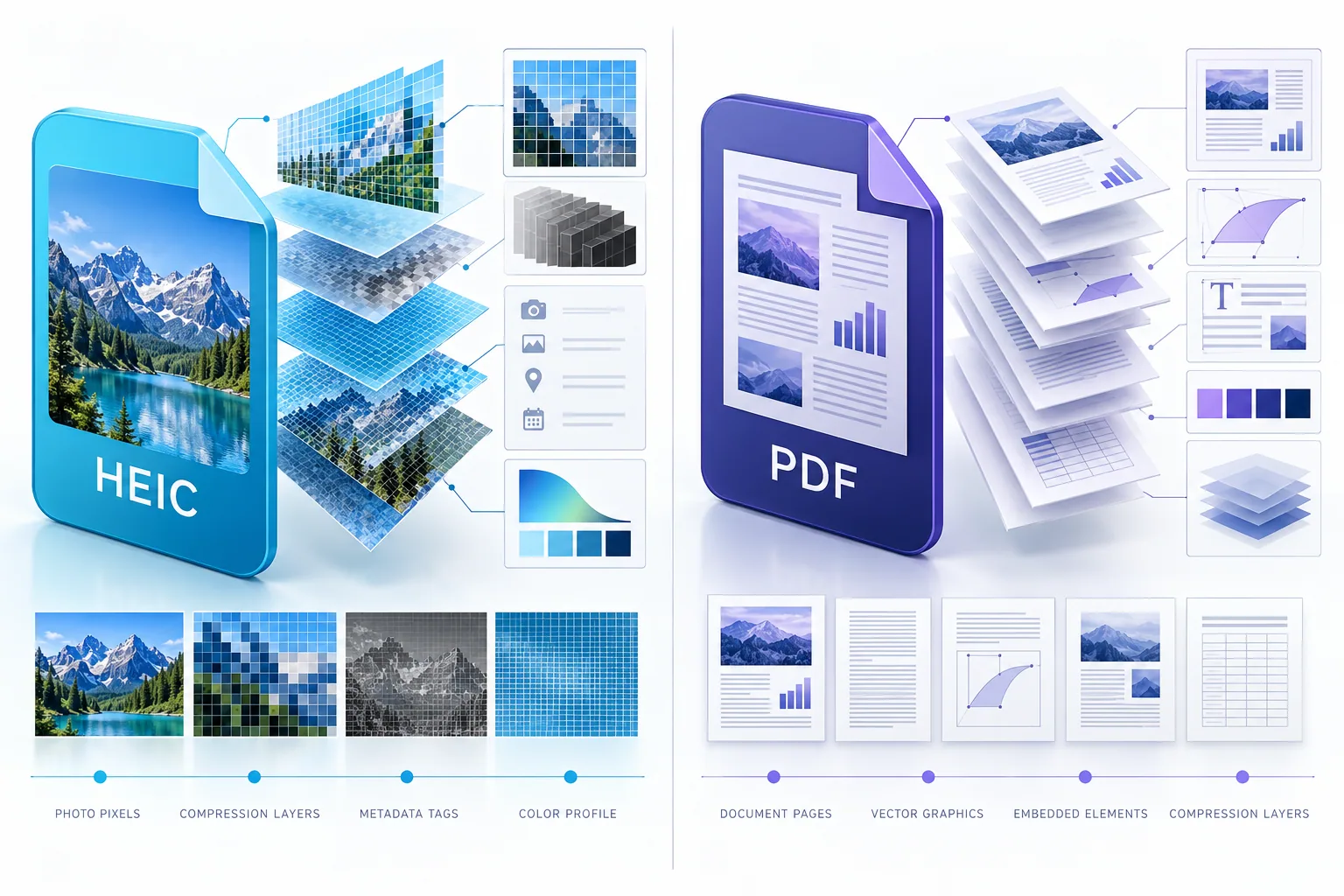
HEIC is an image container; PDF is a document container
HEIF defines a container that can hold images, sequences, thumbnails, metadata, and auxiliary items. HEIC commonly refers to HEIF content encoded with HEVC. Other HEIF files can use codecs that the current PDFStack decoder does not understand.
PDF describes fixed pages and can contain text, vector graphics, and raster images. PDFStack decodes the supported HEIC primary image to JPEG and embeds that JPEG on each PDF page. The result is a document containing raster photographs, not the original HEIC container.
What happens to image quality
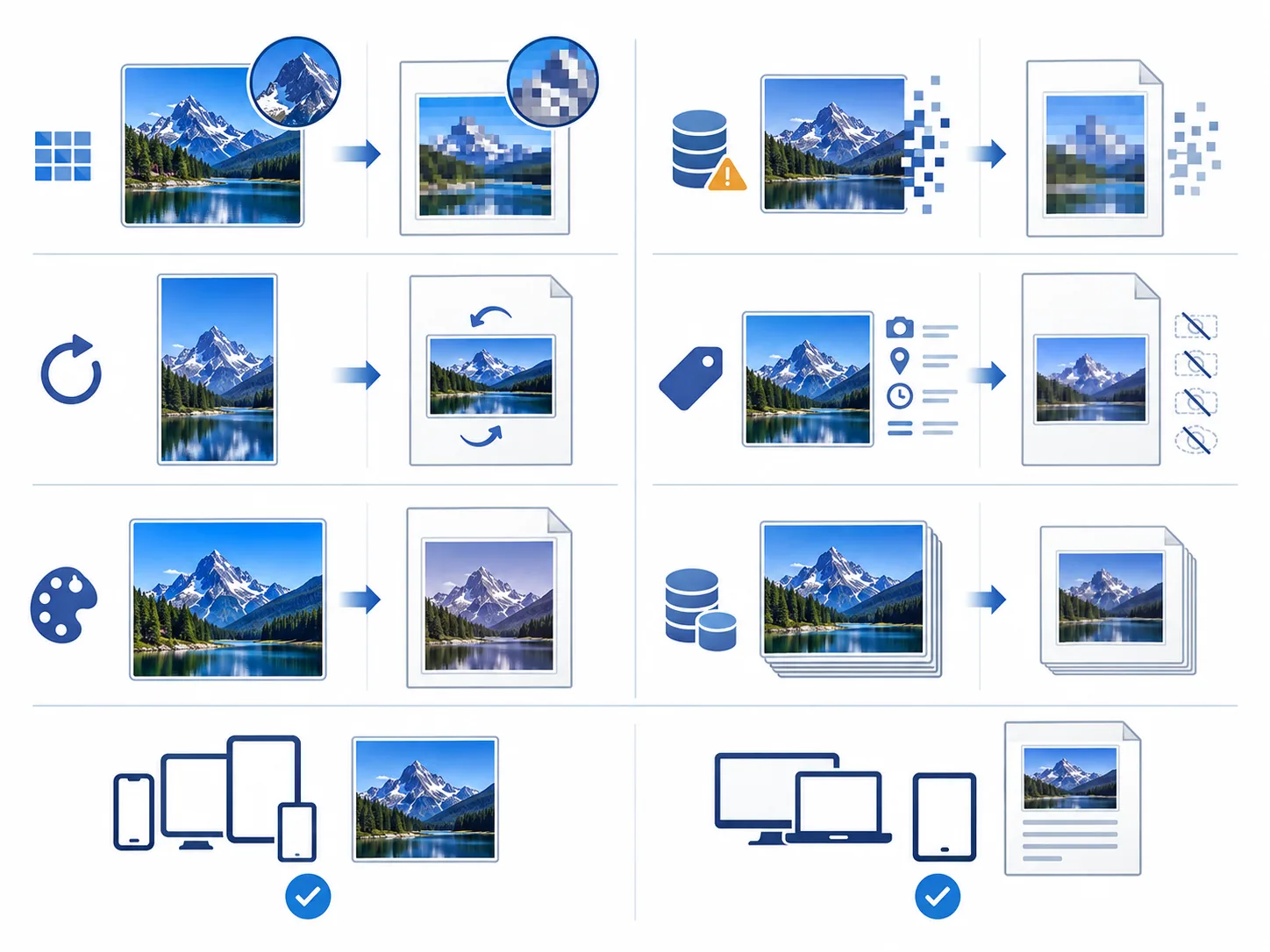
The current decoder creates JPEG at a quality setting of 0.9 before PDF embedding. JPEG encoding is lossy, so identical pixel values are not guaranteed even when the displayed result looks close to the source. PDF embedding does not restore detail removed during HEIC decoding or JPEG recompression.
Resolution is based on the decoded pixel dimensions. The page layout preserves the selected aspect ratio unless Cover is chosen, which intentionally crops edges to fill the available page area. Always inspect fine texture, text in photographed documents, and high-contrast edges.
- ✓No claim of lossless conversion is made.
- ✓Contain preserves the whole photo and may leave whitespace.
- ✓Cover fills the page area and can crop.
- ✓Large decoded photos can require substantially more memory than the compressed source file.
Color, orientation, and metadata
The decoder supplies browser-displayable pixels and applies the transformations it supports. PDFStack records the decoded width and height, permits quarter-turn rotation, and uses those final proportions for page fitting.
heic2any documents that it does not copy source metadata into its JPEG output. EXIF, capture date, GPS, camera details, depth data, and other container metadata should therefore not be expected in the generated PDF image. Color profiles and HDR information may be transformed or reduced during browser decoding and JPEG conversion.
File size is not directly comparable
A HEIC photo may be compact because of its image codec, while a PDF adds document objects and contains a JPEG rendition. A combined PDF can therefore be larger or smaller than the selected originals depending on dimensions, scene detail, source compression, page count, and PDF overhead.
Choose PDF for compatibility and document workflows, not as an archival replacement for the HEIC master. Keep originals when metadata, HDR, editing latitude, or the most efficient photo storage matters.
Compatibility and verification
PDF readers are widely available across desktop and mobile systems. HEIC support varies by application and installed codec, which is one reason a fixed PDF can simplify submission or review.
Open the final PDF on the recipient platform when the document is important. Check colors, orientation, page count, crop behavior, and readability. If strict color management, complete metadata preservation, or every HEIF codec is required, use a specialist managed workflow.
Frequently asked questions
Is HEIC to PDF lossless?
No. The current workflow decodes the source and creates a JPEG rendition before embedding it in PDF.
Does the PDF retain EXIF metadata?
Do not rely on it. The current decoder does not copy the source metadata into its converted JPEG.